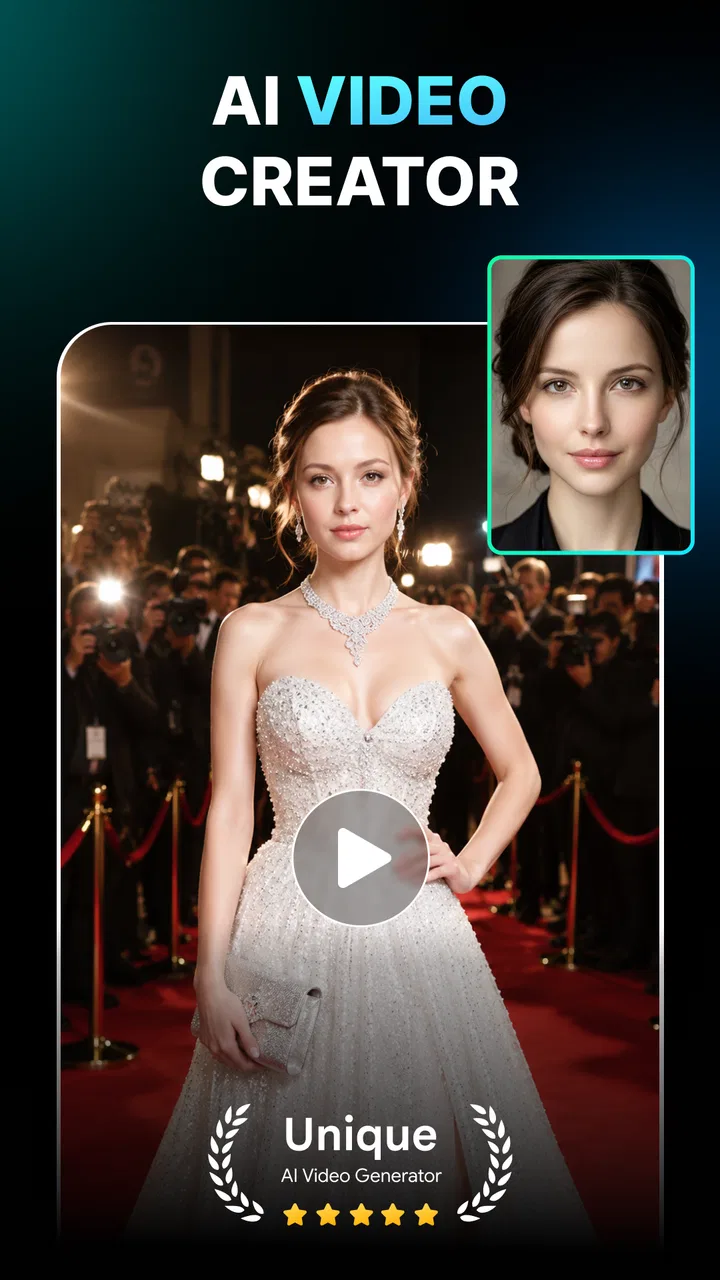
Genera: AI Video Generator
- 4.2
- Rating
- 500.00K
- Installs
- Free
- Price

 Analysis by App-foxy
I tried Genera: AI Video Generator with a simple question in mind: would it be useful on a shared household phone, where one person wants a playful face effect, another wants to improve a photo, and everyone expects the process to be quick? My answer is mostly yes, provided you treat it as a creative tool rather than a complete video-editing studio. Its collection of AI video and photo effects makes it approachable for casual experiments, while the lack of a more traditional editing workflow may matter to anyone who wants precise control.
The app sits in the art and design category and comes from AMOBEAR TECHNOLOGY GROUP. It is free to install, aimed at Everyone, and supports Android devices running version 7.0 or later. That broad compatibility is helpful for a household with an older spare phone, although the experience of AI media tools can still depend heavily on the device itself, the quality of the source image, and the patience of the person using it.
How it feels when several people share the same device
The most natural household use is informal. Imagine a family gathering where someone takes a group photo, a teenager wants to see how a face-swap effect looks, and a parent wants to make an ordinary portrait feel more polished before sharing it. Genera brings those ideas into one place instead of requiring separate apps for photo enhancement, face animation, and experimental video creation.
You May Also Like

 Blood Strike: 2.5 Anniversary
Blood Strike’s Loadouts Turn Every Drop Into a Tactical Gamble
A close look at Blood Strike’s custom loadouts: how fast access to signature weapons reshapes its battle royale rhythm, rewards preparation, and narrows the gap between fights.

 Pandora - Music & Podcasts
Pandora’s Music Is Easy to Start, but Harder to Recover
Pandora’s strength is its low-effort path from a seed to a station. Its weak spot is how much confidence it asks you to place in connection, setup, and quiet recovery.

 8 Ball Pool
 Is Built on Rivalries, Rematches, and Routine
A close look at the rivalries, rematches, shared routines, and unanswered safety questions that turn a quick pool match into a persistent mobile community.

 Samsung Music
’s Quiet Strength Is Playing What You Already Own
Its reach comes less from spectacle than from dependable access to a personal library. That simplicity is both the app’s strongest retention engine and its ceiling.

 AccuWeather: Weather Radar
AccuWeather Review: A Quick, Clear Forecast for Everyday Decisions
For everyday plans, the best forecast is the one you can understand quickly. AccuWeather makes rain timing, radar, and local conditions easy to act on, with a few trade-offs.

 Hill Climb Racing
Why Hill Climb Racing Still Turns Crashes Into One More Run
A tiny car, a bumpy hill and one more upgrade: Hill Climb Racing keeps resurfacing because its simple chaos makes every near-miss feel personal.
More From Our News Desk



I like that this kind of app lowers the barrier to trying something creative. You do not need to understand timelines, keyframes, masks, or layers before seeing what an effect can do. That makes it suitable for a quick turn-taking session: one person chooses a photo, another suggests an effect, and the result becomes something to discuss or save. The appeal is less about producing a carefully directed film and more about transforming familiar images into short, surprising creations.
That convenience also creates a practical boundary. On a shared phone, the exported results can easily become mixed together with personal photos and other people’s creations. I would decide in advance where finished images should go and whose photos are acceptable to use. The app’s creative features may encourage experimentation, but a household still needs its own rules about consent, especially when a face-swap or face-dance effect involves someone who is not the person holding the phone.
For a casual evening, the strongest use case is a small batch of selected images rather than an entire gallery. Choosing a clear portrait with good lighting gives the app a better starting point and makes it easier to compare results. I would avoid handing over a phone with unrestricted access to every family album. A separate folder of copies keeps the activity organized and reduces the chance of accidentally editing or sharing a private original.
What the creative tools are best at
Genera combines several types of AI-assisted creation: future-self style transformations, face animation, face swapping, and photo enhancement. That mix gives it a broader personality than a single-purpose filter app. If I want a playful result, I can explore movement or identity-based effects; if I want something more practical, I can start with an existing image and try to make it look cleaner or more presentable.
The face-oriented tools are the most immediately entertaining. They work well as conversation starters because the result is easy to understand without an editing lesson. A still portrait can become a short visual joke, a family picture can take on a new mood, or a selfie can be used as a harmless test image before committing to something more personal. I would judge these effects as novelty-focused rather than as a replacement for professional animation.
The photo-enhancement side is more useful when the goal is subtle improvement. A slightly dull portrait or an image that needs a little visual lift may benefit more from enhancement than from an exaggerated effect. This is an important distinction: AI tools are often most satisfying when the chosen transformation matches the purpose of the image. A playful effect can be great for private sharing, while a restrained enhancement is more appropriate for a profile picture or a family archive.
The future-self concept is also better suited to curiosity than certainty. I would treat its output as an imaginative visual experiment, not as a prediction or a reliable representation of how somebody will actually look. That mindset prevents disappointment and keeps the feature in its proper place: a creative prompt that can lead to a funny or interesting image.
Small workflow choices that improve the results
My first practical tip is to prepare the source image before opening an effect. A face that is visible, reasonably sharp, and not heavily obscured gives the app more useful material. Group photos can be fun, but they also introduce ambiguity about which face should be transformed. For a first attempt, a single subject is easier to evaluate and makes it clearer whether the effect itself is working well.
My second tip is to keep an untouched copy of anything important. AI transformations are experimental, and a result that looks amusing on screen may not be the version you want to keep. Working from a duplicate lets you try several styles without treating the generated file as a replacement for the original. This matters even more on a shared device, where another person may later want to use the same picture in a different way.
A third useful habit is to compare the result at normal viewing size, not only in the app’s preview. Some effects look impressive while they are moving quickly but reveal odd edges, unnatural facial motion, or distracting changes when paused. I would check the output before sharing it, especially when the image includes children, older relatives, or anyone who might feel uncomfortable seeing their face altered.
It also helps to separate “fun” projects from “important” projects. For a joke among friends, an imperfect transformation may be part of the charm. For a picture intended for a professional profile, a family announcement, or a public post, I would use a restrained enhancement and inspect the final image carefully. The app can support both moods, but it does not remove the need for human judgement.
Boundaries, coordination, and trust on a household phone
Genera is easy to imagine as a shared creative activity, but I would not confuse an Everyone content rating with a guarantee that every generated result will suit every child or every family. The rating describes the app’s general audience context; it does not mean that an adult should stop supervising how faces are used or where creations are sent. A child may see a face effect as a game, while an adult may recognize privacy or embarrassment concerns that deserve a conversation first.
Before sharing the app, I would establish three simple household expectations. First, use only photos that belong to the person holding the phone or that have been approved by the people pictured. Second, do not send an altered face to a group chat or social network without checking with the subject. Third, keep personal images separate from casual experiments. These are not app features; they are sensible habits that make an AI image tool safer and less awkward in a shared setting.
The account question deserves similar attention. I would not assume that a shared device means everyone should use one person’s identity, gallery, or purchasing setup. If the app presents any sign-in or payment prompt during use, the person responsible for the device should handle it rather than letting a child tap through. The same applies to saved creations: decide whether a result is personal, communal, or temporary before it disappears into a crowded photo library.
Genera is free to download, but it includes in-app purchases ranging from $5.99 to $59.99 per item. That is the point where household coordination becomes especially important. A free installation can still lead to a paid decision, so I would make sure the device owner knows which actions may open a purchase screen and that children understand they should ask before continuing. I would also avoid describing every locked or premium-looking option as something they are entitled to use; the exact value of an effect should be judged before paying for it.
This pricing structure changes how I would recommend the app. For occasional play, the free starting point is attractive because it lets a household discover whether the style of results is enjoyable. For frequent use, I would first observe how often the app becomes part of the routine and whether the generated media is genuinely useful. Paying for a novelty effect makes less sense if it will be tried once and forgotten, while a household that regularly creates invitations, playful greetings, or edited portraits may see more value.
Where it fits beside ordinary alternatives
Compared with a conventional photo editor, Genera is more immediate but less deliberate. A standard editor usually gives me direct control over cropping, brightness, color, retouching, and other adjustments. That is preferable when I know exactly what needs changing or when I want a predictable result. Genera is stronger when I want the app to suggest or perform a more imaginative transformation without making me build it manually.
Compared with a dedicated video editor, it is also more focused on the idea behind the effect than on the construction of a full project. Someone making a carefully paced video with multiple clips, captions, music cues, and precise cuts will probably be happier with a timeline-based tool. Someone who wants to turn one image into an attention-grabbing short creation may find Genera quicker and less intimidating.
Dedicated face-swap or animation apps can sometimes feel more specialized, but they also mean managing several separate tools. Genera’s advantage is the convenience of having face effects and photo enhancement together. Its trade-off is that a broad collection does not automatically mean deep control in every area. I would choose it for variety and speed, not because it replaces every specialist app on my phone.
There is another important comparison: manual editing gives me a clearer sense of what changed, while AI transformation can produce results that are harder to predict. That unpredictability is part of the entertainment, but it can be a weakness when accuracy matters. If I am preparing an image for work, preserving someone’s recognizable appearance, or trying to correct a specific flaw, a conventional editor is usually the more responsible choice.
Who should use it, and who should pass
I can recommend Genera to people who enjoy visual experiments, want a quick way to animate portraits, or prefer guided AI effects over learning a complex editing interface. It is particularly suitable for casual creators who make content for private messages, small social posts, celebrations, and personal amusement. The combination of video-oriented effects and photo improvement gives beginners several directions to explore without requiring them to commit to one style.
It is also a reasonable choice for a household that wants a shared creative activity, as long as the device owner manages purchases and everyone agrees about photo use. A parent could let a child explore with prepared copies rather than personal originals, while adults handle publishing and any paid decision. That arrangement preserves the playful side of the app without pretending that an AI transformation is consequence-free.
I would advise skipping it if you need dependable professional retouching, detailed manual controls, or a complete video-production workspace. I would also hesitate to recommend it to someone who is uncomfortable with experimental changes to faces or who wants every result to look natural. The app’s appeal comes from transformation, and transformation necessarily introduces the possibility of strange, exaggerated, or simply unconvincing output.
People with very limited storage or patience for processing should think about their workflow too. AI media creation can produce files that are more demanding than a normal text message, and a shared phone can become cluttered quickly. I would review saved results regularly, keep only the versions worth sharing, and avoid treating every generated image as something that needs to remain on the device forever.
Performance expectations and the current release
The current version is 1.0.9_20260518, and the app has reached over one hundred thousand installs. Its average rating is 4.1 from around four hundred seventy ratings, which suggests that many users find the concept worthwhile while leaving room for mixed experiences. I read that combination as a reason to approach it with realistic expectations: the idea is appealing, but individual results and day-to-day satisfaction may vary.
Those figures do not tell me whether every effect will suit every phone, so I would test the app with a non-sensitive image first. This is a useful household rule as well as a performance check. It lets me see how the interface behaves, how long a result takes to appear, and whether the output style matches what I expected before I involve other people’s photographs.
The minimum operating-system requirement of Android 7.0 or later makes Genera accessible to a wide range of Android users. Still, compatibility is only the first step. An older phone may be perfectly able to install the app but feel less comfortable during media generation or when handling several saved results. If the experience feels slow, I would reduce the number of simultaneous experiments and clear out unwanted files rather than assuming every unusual result is an artistic choice.
My household verdict
After looking at both the playful strengths and the practical boundaries, I see Genera as a friendly AI creativity app rather than a serious editing suite. Its best moments come when I start with a clear purpose: make a funny portrait, explore a future-self idea, animate a face for a private greeting, or give an ordinary photo a more polished appearance. The app is less convincing when I expect professional precision or want to control every stage of a video.
For shared use, I would install it only with a simple plan: use copies, ask before transforming someone else’s face, keep an adult in charge of purchases, and review anything before it leaves the household. Those steps do not make the app cumbersome; they make the fun more considerate. They also answer the main questions a family is likely to have about who should use it, how to protect personal images, and whether the free download can involve extra spending.
My final recommendation is positive for curious casual creators, especially those who want several AI photo and video ideas in one place. I would choose a traditional editor for accuracy, a dedicated video tool for structured production, and Genera when the goal is quick visual experimentation. Its real strength is turning an ordinary portrait into a conversation piece, as long as you keep consent, account boundaries, and expectations in the picture too.
FAQs for Genera: AI Video Generator
01What is Genera: AI Video Generator?
Genera: AI Video Generator is an innovative app designed to help users create high-quality videos using artificial intelligence. It offers a range of features that allow for easy editing, adding effects, and incorporating music. With its user-friendly interface, it's suitable for both beginners and experienced video creators.
02How does Genera ensure video quality?
Genera uses advanced AI algorithms to enhance video quality by optimizing resolution, color balance, and audio clarity. The app supports high-definition outputs and provides various editing tools to refine videos to professional standards. Users can expect crisp, clear, and visually appealing videos every time.
03Is Genera: AI Video Generator user-friendly for beginners?
Yes, Genera is designed with a straightforward interface that is easy to navigate. It includes tutorials and tips to guide new users through the video creation process. The app’s intuitive controls make it simple to produce impressive videos without requiring prior editing experience.
04What are the main features of Genera: AI Video Generator?
Genera offers a wide array of features including AI-driven video editing, customizable templates, music library access, and special effects. It also supports direct sharing to social media platforms, allowing users to easily distribute their creations. The app is continually updated with new features to enhance user experience.
05Are there any subscription costs for Genera: AI Video Generator?
Genera offers a free version with basic features, but for full access to all tools and capabilities, a subscription is required. Various plans are available, catering to different needs and budgets. Each plan includes updates and premium support, ensuring users get the most out of their experience.
Pros
- User-friendly interface for easy navigation.
- High-quality video output consistently achieved.
- Wide range of templates available.
- Fast rendering speed saves time.
- Supports multiple video formats.
Cons
- Requires strong internet connection.
- Limited editing tools for advanced users.
- Occasional app crashes reported.
- In-app purchases for premium features.
- No offline mode available.

Genera: AI Video Generator
Gallery